
Recently Innuos Sense won’t load upon opening iPad/iOS

brianmedia

New member
Nov 25, 2024
20
24
3
Sarasota, FL
As of 2 days ago when i open the sense app on iPad or iPhone , it find my server then goes to a black screen with Innuos on it.

If I stay on the screen it just sits there, but if i open another app, do something then come back it loads everything.

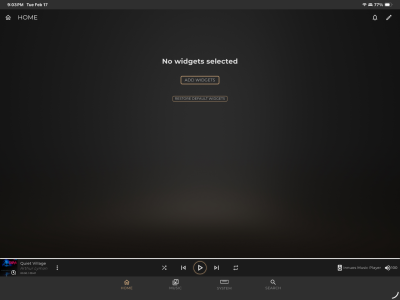
Sometime will also load to a screen with “no widgets”

Eventually if i do something in another app for a bit then come back to loads fine.

See screenshots. IMG_0127.pngIMG_0129.png

 
What system do you have, and is it up to date on 3.4.1?
I see you're on IOS, i recommend clearing the cache and testing again.

1. On the iPad / iPhone, go to the Settings app;
2. On the left pane of the Settings app, search the entry for "Safari" and click on it;
3. On the right pane, scroll down and select "Clear History and Website Data";
4. Confirm the action by clicking the "Clear" button on the resulting window
 
  • Like
Reactions: brianmedia
What system do you have, and is it up to date on 3.4.1?
I see you're on IOS, i recommend clearing the cache and testing again.

1. On the iPad / iPhone, go to the Settings app;
2. On the left pane of the Settings app, search the entry for "Safari" and click on it;
3. On the right pane, scroll down and select "Clear History and Website Data";
4. Confirm the action by clicking the "Clear" button on the resulting window
Ah yes. Sorry. On latest 3.4.1

Didn’t realize the Sense app was a wrapper for Safari.
I cleared history/cache and it seems to load correctly now 👍🏼

Take that back. It loaded quickly the first time time after I cleared cache, but I went to surf the web and came back to Sense and it hung on the “Innuos” black screen again. Then repeat my steps to exit app, go do something else and back within 30 seconds and it works again.
 
Last edited: